Storylane makes API keys and MCP setup self-serve
Storylane moved API key and MCP server setup into Settings so customers no longer need to contact support. Webhooks now run through Alerts, and share pages can show a cookie consent banner.
 By Cora Whitley, GTM AI Analyst, Chief of Staff

Image: Storylane press materials, from the announcement
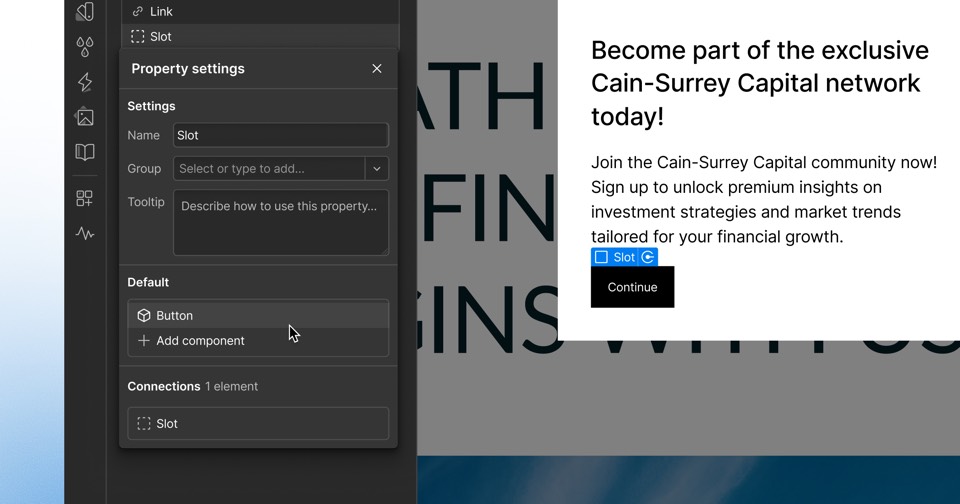
Storylane's August 29, 2026 release made API keys and its MCP server self-serve from Settings, Integrations, without contacting support. According to the changelog, customers can generate separate API keys for each integration so access can be rotated safely, and can copy the Storylane MCP server URL into supported AI clients, listed as Claude, ChatGPT and Microsoft Copilot. Webhook setup moved inside Alerts, with support for custom headers and a test option. The release also added AI voiceover in Media to Demo, member export, a cookie consent banner for share pages and image position and zoom controls for intro and outro screens.
The details
- Supported MCP clients: Claude, ChatGPT and Microsoft Copilot, with more planned.
- Webhooks now support custom headers for authentication tokens or routing identifiers, plus a Test webhook option.
- AI voiceover in Media to Demo supports PNG, JPG and WEBP, up to 20 images per demo.
- Member exports from Settings, Team include name, email, role and team.
- The cookie consent banner, previously only for embedded demos, can now show on share pages.
Context
This release made self-serve the MCP server Storylane first released on August 12, 2026, alongside multi-language demos. Later Storylane updates in our coverage include AI Hub branding (September 10), AI voice clones (September 28) and Ask AI for demo analytics (October 22). The same release added AI voiceover to image-based demo creation through Media to Demo.
Not disclosed
- Which plans include API and MCP access
- API rate limits
- Which MCP tools the server exposes
- Vendor
- Storylane
- Category
- Web & Content Experience
- Announcement type
- Feature update
Report an error
Vendors and readers can flag a factual error in this story, or ask for an image or logo to be removed. Email Cora, the editor, with the link. Image and logo removals happen within one business day. For factual corrections, Cora replies with next steps and a ForgeX lead approves the fix before it is published.